Overview
To assist you with your control, BeCLM has implemented an automated checklist system. This automation is made possible through connections to the official websites of government and international organisations (the UN, the EU, etc.). BeCLM regularly checks this information to ensure it is made available to you as soon as it is officially published.
Quick Navigation
Click on the AF or PEP module → Data Sources menu → View updates.
Detailed Process
Click on the AF or PEP module in the taskbar at the top of the page.
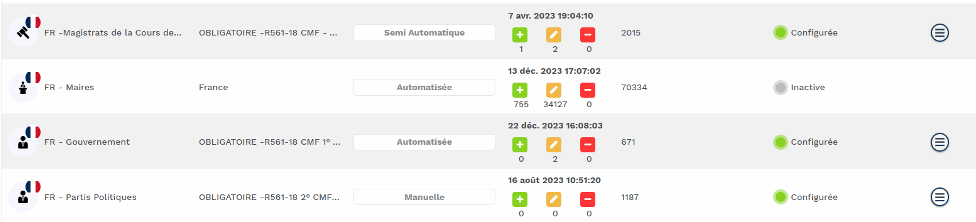
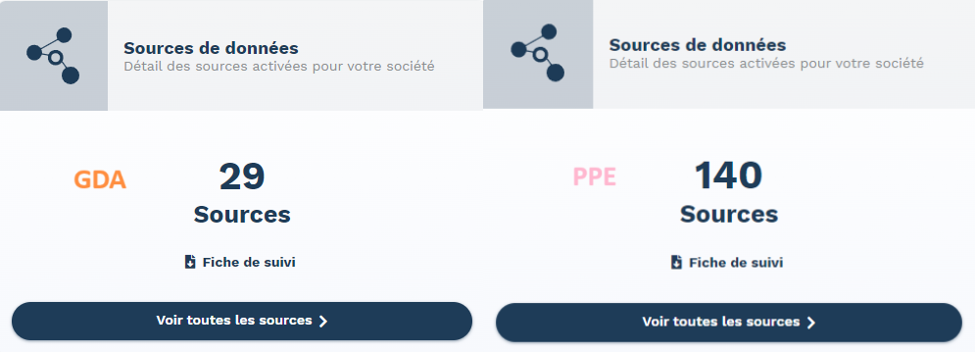
Once you have selected a module, you will land directly on the Home page. In the bottom right corner, you will see a 'Data Sources' box showing the number of available sources for each module.
(Note: Sources differ between AF and PEP.) 👇
How to check if sources are updated?
Go to the Data Sources menu to view which lists are active in your environment and the date of their last update.
There are 2 ways to access this menu:
-
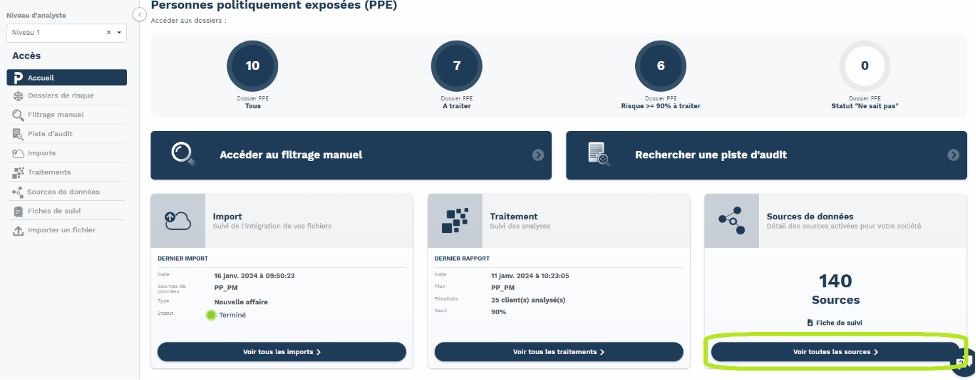
On the Home page, click on "View all sources" at the bottom of the "Data Sources" box
-
Or click on "Data Sources" in the menu located on the left-hand side of the page
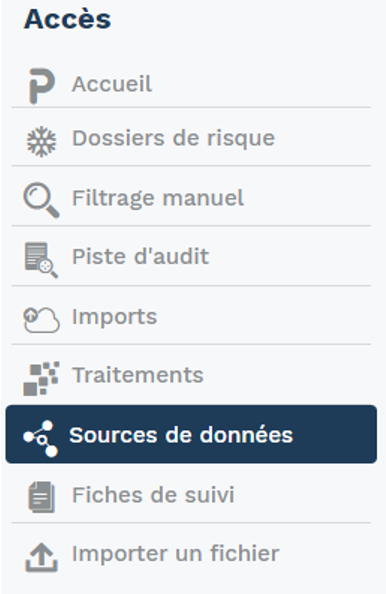
You will then see a table listing all available lists, composed of 7 columns:
-
Source Name
-
Comments → Brief description of the list
-
Update Types → 3 types of updates are performed by our teams:
a. Manual → Source updated manually by our team during GDA or PPE alerts
b. Semi-automatic → Updated via API with validation from our team
c. Automatic → Fully updated via API
-
Last Update → Shows the date and time of the latest update and the event details:
a. ADDITIONS: Number of people added to the list
b. EDITIONS: Number of people whose data was modified
c. REMOVALS: Number of people removed from the list
-
Number of Results → Number of individuals currently present on the list
-
Status → Indicates whether the list is active and configured in your workflows
-
Actions → An icon appears only for the lists configured in your space. Clicking it reveals 2 available options:
a. Update History: Download a recap of updates (additions, edits, removals) in Excel or CSV format
b. Detailed List of Changes: This can only be downloaded by the BeCLM support team and contains names of individuals on the list